
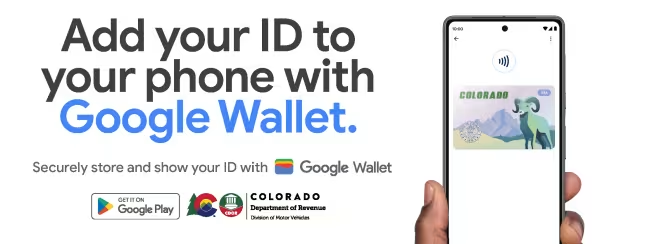
Now you can add your Colorado ID to Google Wallet

Coloradans can choose to add their driver license or state identification (ID) card to Google Wallet, then seamlessly and securely present it using a phone with Android 8.0 and up at select TSA security checkpoints, within Denver International Airport (DEN).
View Terms & Conditions
Innovative
Colorado is among the first states to implement IDs in Google Wallet. It is only available to individuals who have a current, valid Colorado-issues driver license or ID and serves as a companion to the physical, plastic driver license or ID – it is not a replacement and Coloradans must continue to carry their physical driver license or ID with them.
Secure
Google Wallet keeps your ID safe with industry-leading security built right into your Android phone. When you add your ID to Wallet, the information is stored and encrypted so your personal details stay safe.
Convenient
The Transportation Security Administration (TSA) will enable select TSA security checkpoints and lanes in participating airports as the first location customers can use their drive license or state ID in Google Wallet. Built with privacy and ease of use at the forefront, Google Wallet provides an easy, fast and convenient way for customers to present their driver license and state ID with their Android phone (Android 8.0 and up).
How to add your ID to Google Wallet
How to present your ID in Google Wallet at Security
Frequently Asked Questions (FAQs)
To enroll and use my Colorado ID:
-
You must have a valid and easily readable Colorado driver license or state-issued ID card.
-
Google Wallet installed on an Android device shipped with software version 8.0 (Oreo) or higher
-
An authentication method for your device (e.g., fingerprint or PIN)
For minimum system requirements, please visit the Google Help Center to learn more.
You must have Google Wallet installed to continue.
-
Start by opening Google Wallet on your Android device or downloading it on Google Play.
-
On your Android device, open the Google Wallet app.
-
Tap the Add to Wallet button.
-
Tap ID Card and choose your state.
-
Follow the onscreen instructions to scan the front and back of your license or ID.
Please visit the Google Help Center to learn more.
After your request has been approved, you will see your Colorado ID in the Google Wallet app.
Ensure you meet the eligibility requirements listed in the Google Help Center to learn more.
Adding your Colorado ID to Google Wallet is voluntary and is a companion to your physical, plastic DL/ID - it is not a replacement for the physical card. You must continue to carry your physical DL/ID with you. This is determined by the Transportation Security Administration (TSA). Please visit TSA.gov for the most up-to-date support for IDs in Google Wallet.
Various entities, including law enforcement, are not yet accepting a Colorado ID in Google Wallet as a valid form of identification.
Please visit the Google Help Center to learn more. Please note: adding your Colorado ID to Google Wallet is only available to individuals that have a current, valid Colorado-issued driver’s license or ID card.
No, the Colorado Digital ID in the myColorado app cannot be used to verify identity at the select TSA security checkpoints. myColorado, the State of Colorado’s official mobile app™, provides residents with secure and convenient access to state services anytime, anywhere. The app’s Colorado Digital ID™ feature allows Coloradans to create and store an electronic version of their Colorado driver license or state-issued ID on their smartphone as proof of identity within the state. More information about the myColorado app can be found at mycolorado.gov.
The verification process involves capturing a photo of the front and back of your physical card. If you don't have one, you can request a duplicate card through the DMV: Lost or Stolen ID Card or Driver License webpage.
This process generally takes a relatively short time. If the DMV needs to gather more information, you will receive a notification with the next steps. In these cases, it may take a little longer.
Customers will see this notification when their request needs additional information via a verification letter sent to their address on file with the DMV. Once they receive the letter in the mail, they will navigate to e-Services on the DMV website and enter the verification code provided in the letter, in addition to a few other data elements that are used to verify their identity. Alternatively, customers may need to meet with an agent to move forward with enrollment.
For more information, call (303) 205-5600 for support.
No, you are not required to have a Real ID to add your Colorado ID in Google Wallet. All air travel passengers must continue to carry their physical driver’s license, identification card, or other acceptable ID listed on the TSA website. The TSA officer may require this physical ID in addition to the digital ID.
The Colorado-issued Standard License (Formerly known as CO-RCSA SB251 ID card) cannot be used to board commercial airplanes or enter federal facilities. The card can also not be used to vote or apply for public benefits. For more information, visit the Standard License Frequently Asked Questions web page.
At this time, presenting your Colorado ID in Google Wallet as a valid form of identification is only accepted at select TSA security checkpoints around the country, determined by the TSA. Please visit the TSA website for the most up-to-date support for Colorado ID added to Google Wallet. Colorado residents can present their Colorado ID in Google Wallet at participating select TSA security checkpoints by tapping their device at the identity reader or presenting their QR Code. Upon tapping their device, customers will see a prompt on their device displaying which specific information is being requested by the TSA. Only after authorizing (e.g. fingerprint or PIN) is the requested identity information released from their device. Information is shared digitally, so residents do not need to show or hand over their device to present their ID. To learn more visit Google Wallet Help Center.
Currently, you can use your digital ID with select TSA security checkpoints at supported airports. You must still carry your physical ID as needed.
With Near Field Communication (NFC)
- Unlock your phone.
- For a few seconds, hold the back of your phone close to the NFC terminal.
- Review the info that will be shared.
- Before you can proceed, the app will ask you to authenticate.
- To confirm that the info was shared, wait for the blue check mark.
Tip: If you aren’t able to share your ID:
- Try to hold your phone in a different way. Your NFC antenna could be near the top or bottom of your device.
- Hold your phone closer to the reader.
- For a few extra seconds, hold your phone to the reader.
If you still have issues, use your physical ID.
With a QR code:
- Open the Google Wallet app.
- Scroll to find your “ID or license.”
- Tap your ID or license.
- Allow the QR code on your ID to be scanned.
- Review the info that will be shared.
- Before you can proceed, the app will ask you to authenticate.
- To confirm that the info was shared, wait for the blue check mark.
The QR code is a 2D image that can be scanned to convey information such as a url or ID. Scanning the QR code connects your phone to a reader and kicks off a bluetooth connection to transmit the request and ID data from your ID in Google Wallet.
Law enforcement does not accept Colorado IDs added to Google Wallet as a valid form of identification.
Google Wallet keeps your ID safe with advanced security built right into your Android phone. When you add your ID to Wallet, the information is stored and encrypted so it stays secure.
When you save your digital ID on your phone, you provide Google with certain info. You provide:
-
Photos of the front and back of your ID, and a brief video of your face: Google shares your card info and an image of your face from the video with the Colorado Department of Motor Vehicles.
-
Any data, including data used for analytics purposes, used by Google will be done in accordance with Google’s Privacy Policy.
With your consent, Google Wallet sends your application to the Colorado Department of Motor Vehicles that issued your ID or license. That agency will review your info. If your submission is approved, your encrypted digital ID will be saved on your device. You may view and manage it on your device and control when your ID is shared.
Your digital ID is considered a Private pass. Learn more about private passes.
At this adding your Colorado ID to Google Wallet is only accepted at select TSA security checkpoints around the country, determined by TSA. Please visit the TSA website for the most up-to-date support for when you add your Colorado ID to Google Wallet.
Adding your Colorado ID to Google Wallet is a companion to your physical, plastic driver license or ID card, which you should continue to carry.
No cost is associated with adding your Colorado ID to Google Wallet or using it as a form of identification where accepted.
If you have trouble adding your Colorado ID to Google Wallet, please contact Google Wallet Help Center.
Please note: Adding Colorado ID to Google Wallet is only available to individuals that have a current, valid state-issued driver license or ID card.
Important: Your digital ID is saved locally on your device. You can only save your digital ID to a single device.
You can remove your digital ID with either the Google Wallet app, or online at myaccount.google.com.
To remove your ID with the Google Wallet app:
-
Open the Google Wallet app.
-
Scroll to find your “ID or license.”
-
Tap your ID or license.
-
At the top right, tap More (under the 3 linear dots), then click Remove, and click Remove again.
To remove your ID online remotely:
-
Go to myaccount.google.com.
-
Tap Personal Info.
-
Scroll to “Digital ID.”
-
Tap Manage digital ID.
-
Next to the ID or license that you want to remove, tap Delete.
-
Confirm that you want to delete your ID from your device and Google Account.
Your digital ID is saved locally on your device. You can only save your digital ID to a single device. You can remove your digital ID with either the Google Wallet app, or online at myaccount.google.com.
If you lose your phone, you must follow the instructions above to remove your ID.
Adding your Colorado ID to Google Wallet is voluntary. If you are not interested in Colorado ID in Google Wallet, there is nothing you need to do.
CDOR DMV may provide Google with information on the status of the driver license authorization (for example, under review, accepted) so that Google may send updates to your device and help manage your driver license or state ID in Google Wallet. CDOR DMV does not control the privacy and security of your information that Google may hold and that is governed by the privacy policy given to you by Google. For additional information, visit Google Privacy Policies. For additional information on CDOR DMV privacy practices, please review the “Privacy Statement” on our website at State of Colorado Privacy Statement.
No, that personal information is not included in the Colorado ID in Google Wallet.
The Google Wallet terms and conditions can be found here.
Download the New IACA Root Certificate Here (Updated: July 2026)